PROJECT OVERVIEW
Client
Telugu Matchmakers
Industry
Online Matrimony
Role
UI/UX Designer
Note: I have designed 2 mobile applications (B2B and B2C) and 1 website, from scratch for reference only one application is shown here. NDA briefly shown - reach out for the full process.
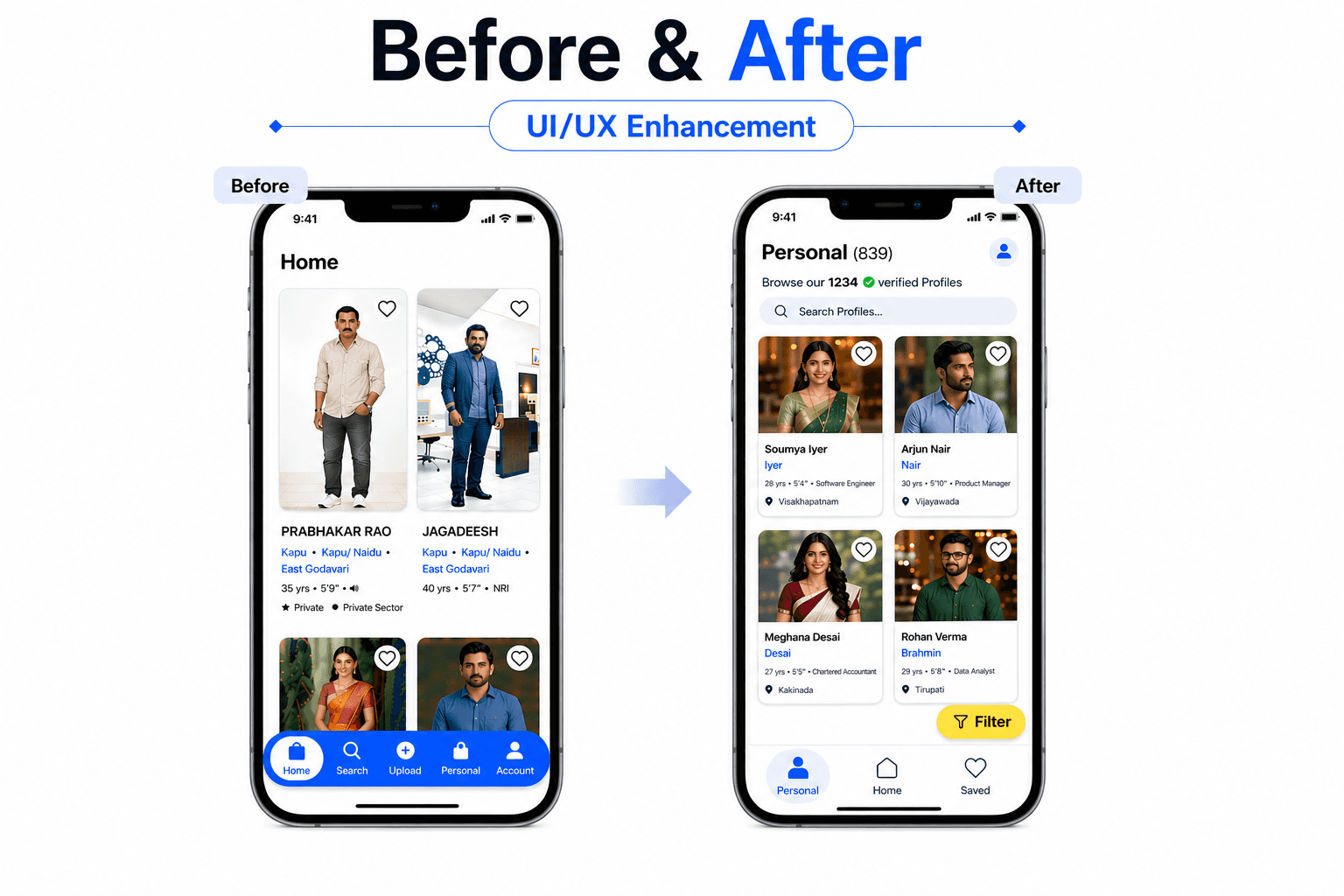
Overview: This project focused on redesigning a B2B matrimonial app specially built for traditional matchmakers who manage multiple client profiles daily. The goal was to help them organize, filter, and recommend profiles that best suit each customer effortlessly. Through user research with real marriage brokers, I uncovered key usability gaps that slowed their workflow. The redesign aimed to create a simple, WhatsApp like experience fast, intuitive, and optimized for their real world matchmaking process.
PHASE I
RESEARCH
Understanding People & Pain Points
Always a great design starts with people. I began by conducting in depth stakeholder interviews and contextual user research with 16 matchmakers.
I aimed to understand:
How they manage hundreds of profiles manually
The challenges in recommending matches quickly
Pain points in their day to day workflow
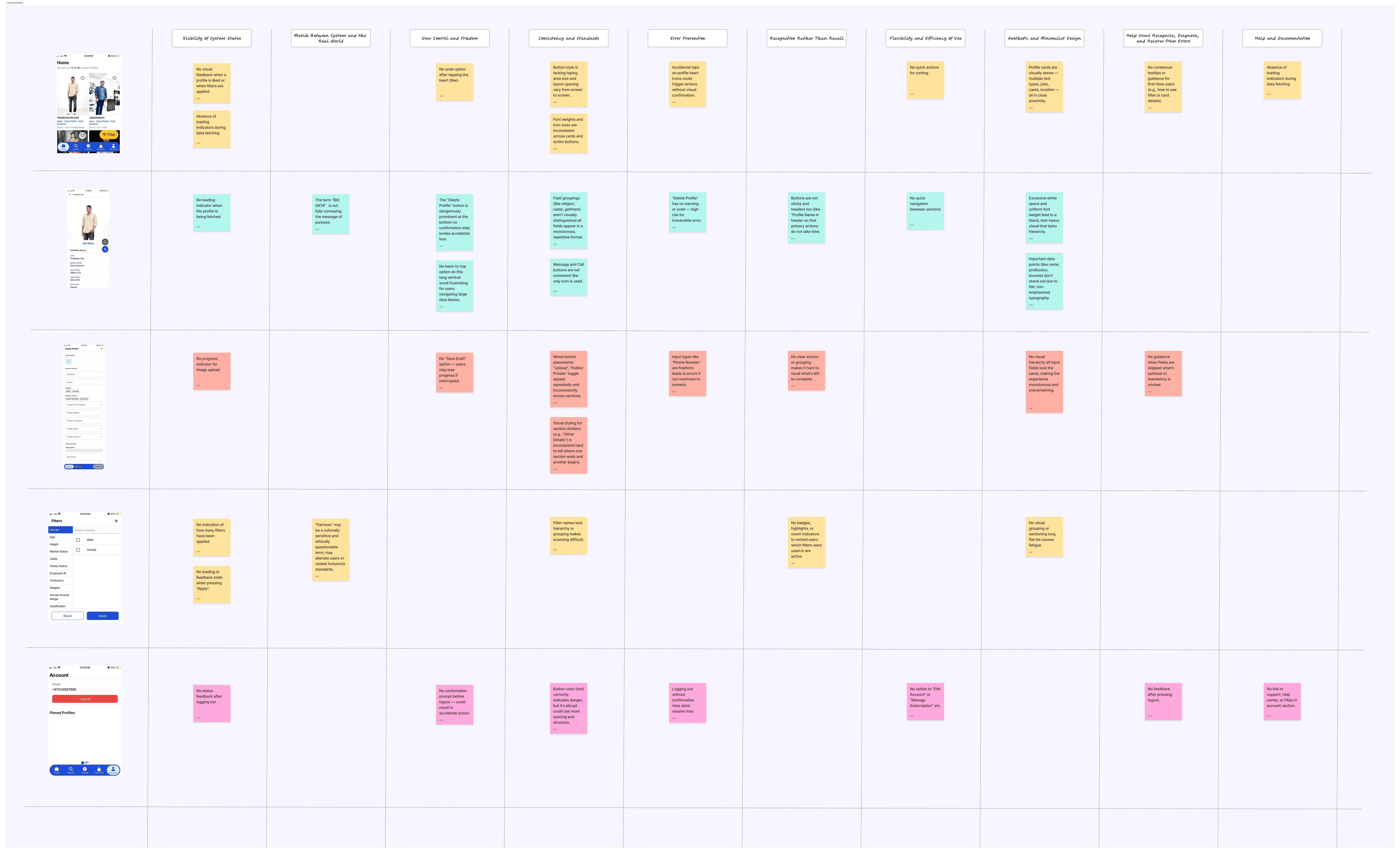
Alongside this, I performed a heuristic evaluation of the existing app, uncovering usability issues like:
Confusing navigation and redundant flows
Tiny tap targets and poor touch interactions
Minimal feedback on actions
Visual clutter distracting users
“The problem wasn’t lack of functionality it was the absence of flow, guidance, and clarity.”
These findings framed the core design challenge:
How might we simplify matchmaking and profile management for traditional brokers, making it as effortless as WhatsApp while adding structure and reliability.
Heuristic Evaluation
PHASE II
EXPLORATIONS
Ideating Flows & Interaction Patterns
With research insights in hand, I moved into ideation and exploration, focused on streamlining user journeys.
I started by restructuring the Information Architecture and redesigning key user flows, from adding clients to recommending matches. Then, I sketched low-fidelity wireframes to visualize the experience.
Guiding principles included:
Predictable interactions: Users always know what will happen next
Accessible touch targets: Larger buttons for ease of use
Contextual visual cues: Subtle guidance without overwhelming
Familiar mental models: Patterns inspired by WhatsApp for trust
I created mid-fidelity interactive prototypes in Figma, allowing stakeholders and users to experience the workflows firsthand. Feedback was immediate and positive:
Key Sketches
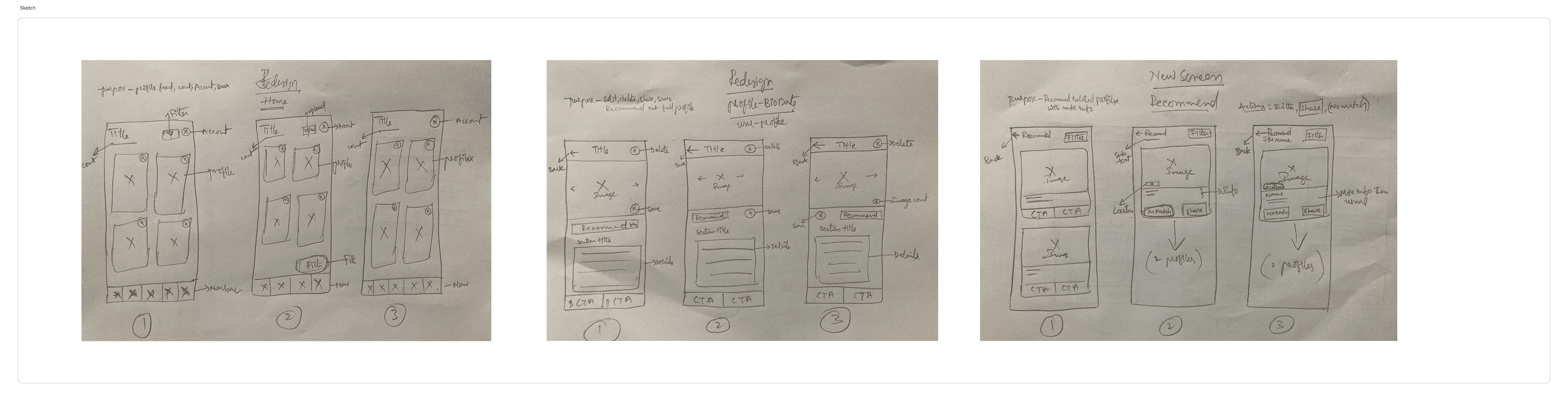
Key Wireframes (mid-fi)


PHASE III
SOLUTION
Designing the Final Experience
Redesign the app to deliver a streamlined, human centered experience that mirrors the simplicity of WhatsApp while adding structure and intelligence.
Introduce features like smart profile recommendations, sticky actions, and larger tap areas for easier navigation. By reducing cognitive effort and simplifying workflow, the app now empowers brokers to manage profiles and suggest compatible matches faster and more confidently.
After multiple iterations, I focused on polishing the final product.
I refined the visual hierarchy, typography, and spacing to highlight key actions. Interactive elements like sticky action buttons and dynamic feedback made the experience clear and responsive.
Usability testing confirmed the design: tasks were completed faster, errors decreased, and users felt more confident.
Finally, I prepared a comprehensive handoff for development, including:
Component libraries
Design system